

What is ChatGPT? Simple definition, uses and limits
ChatGPT is an AI assistant capable of answering questions, writing text, explaining topics and helping with many everyday tasks.


Published on: 11 June, 2026

11 minutes 40s
Table of Contents
- What is ChatGPT? Simple definition
- Where does ChatGPT come from?
- What is ChatGPT used for?
- How to use ChatGPT in English?
- Is ChatGPT free?
- What is ChatGPT Plus?
- What is the latest version of ChatGPT?
- What can ChatGPT not do?
- What are the risks of ChatGPT?
- Why should you avoid confiding in ChatGPT?
- Can ChatGPT replace Google?
- Is ChatGPT useful for writing content?
- How to use ChatGPT well?
- Should you use ChatGPT or an alternative?
- Which tool should you use to get started simply?
- What to remember
What is ChatGPT? Key points
- ChatGPT is a conversational assistant based on artificial intelligence, capable of understanding written requests and generating responses.
- It can be used to write, summarize, translate, explain, code, generate ideas or structure content.
- ChatGPT is available in a free version, but some advanced features are reserved for paid plans.
- ChatGPT's responses must always be verified, especially when they concern sensitive, recent or personal topics.
- To use ChatGPT well in English, you need to formulate precise requests, provide context and review the results obtained.
What exactly is ChatGPT? Many users hear about it as a tool capable of doing everything: writing text, answering questions, coding, translating or even helping organize work. In reality, ChatGPT is a very powerful artificial intelligence assistant, but not a magic one. It works from your instructions and produces responses that need to be understood, verified and adapted. In this article, you will discover a simple definition of ChatGPT, its practical uses, its limitations, its risks and the right way to use it.
What is ChatGPT? Simple definition
ChatGPT is a conversational assistant developed by OpenAI. It uses artificial intelligence to understand a written request and generate a response in the form of text, explanation, outline, summary or structured content.
In plain terms, ChatGPT works like a dialogue tool. You write a question or instruction, and the AI responds by drawing on the models developed by OpenAI. These models are capable of analyzing language, identifying an intention and producing a coherent response.
ChatGPT can be used for very different tasks:
- explaining a complex topic
- writing an email
- correcting a text
- generating ideas
- creating an article outline
- summarizing a document
- helping write code
- rephrasing a sentence
- preparing a professional message
ChatGPT is therefore not simply a search engine. It is an assistant capable of producing a personalized response based on the request you give it.
Where does ChatGPT come from?
ChatGPT was created by OpenAI, a company specializing in research and development of artificial intelligence models. The tool became known to the general public from 2022, when it became accessible as an online chatbot.
Since then, ChatGPT has evolved significantly. It no longer only generates text: it can also analyze files, understand images, browse the web in some cases, produce structured content and help solve complex tasks depending on the features available in the plan used.
OpenAI regularly updates the models available in ChatGPT. Model names, usage limits and certain features may therefore change depending on the period, country and subscription. To understand ChatGPT, the most important thing is not to memorize a single model name, but to know that the tool evolves regularly with new versions and features from OpenAI.
What is ChatGPT used for?
ChatGPT is used to save time on writing, thinking, analysis and organization tasks. It can produce a working base in a few seconds, but the quality of the result depends heavily on the precision of your request.
In everyday use, ChatGPT can help:
- write a simple text
- correct a sentence
- find content ideas
- explain a concept
- summarize a meeting
- generate code
- translate a passage
- create a list of actions
But its main value is not only to "respond". ChatGPT becomes truly useful when it is used as a work assistant: you give it an objective, a context, an expected format, and then you improve the result.
For example, asking "write a text about AI" will often give a vague response. On the other hand, asking "write an 80-word introduction to explain what ChatGPT is to beginners, with a simple and educational tone" will give a much more usable result.
To get good results, don't simply ask ChatGPT to "write a text". Give it a role, an objective, a context, a tone and a format. The more precise your request, the more useful the response will be.
How to use ChatGPT in English?
To use ChatGPT in English, simply write your request directly in English. The tool understands the English language very well and can produce responses adapted to different language levels.
The simplest method is to follow five steps:
- Define what you want to obtain.
- Provide the necessary context.
- Specify the expected format.
- Request a first response.
- Review, correct and adjust.
For example, instead of writing: "Write me an email."
You can write: "Write a professional email in English to follow up with a client after a proposal sent a week ago. Tone: courteous, clear and direct. Goal: get a response without seeming pushy."
This second request is more effective, because it gives ChatGPT a clear direction.
Looking to structure your requests better? Our guide on prompt engineering explains how to formulate more precise instructions to get useful responses:
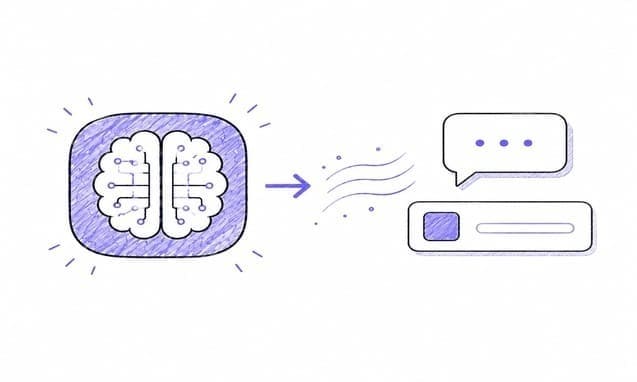
Prompt engineering: complete guide to understanding and mastering prompts
Publication date: May 27, 2026 I Reading time: 4 minutes 40s
Is ChatGPT free?
Yes, ChatGPT can be used for free, but with limitations. The free version provides access to several features, but paid plans generally offer higher limits, better access to advanced models and more capabilities depending on the period.
According to OpenAI's help center, free users can access certain features such as web search, data analysis, file or image imports, use of GPTs and image creation, but with usage limits. ChatGPT Plus users have higher limits.
ChatGPT Plus is one of the best-known paid plans. According to OpenAI's pricing information, paid plans give access to more capabilities, limits or features depending on the plan chosen. Since prices and exact benefits can change, it is best to check OpenAI's official page before choosing a plan.
There are therefore several levels of use:
- Free ChatGPT, to discover the tool and carry out simple tasks.
- ChatGPT Plus, for more comfort, speed and higher limits.
- ChatGPT Pro, Business, Enterprise or Edu, for more advanced or professional needs.
The right plan depends mainly on your frequency of use. To test it out, the free version is often sufficient. For regular, intensive or professional use, a subscription can become useful.
What is ChatGPT Plus?
ChatGPT Plus is a paid plan that gives access to more capabilities than the free version. It targets users who want to use ChatGPT more often, with fewer limitations and better access to advanced models.
In practice, ChatGPT Plus may be interesting if you use AI to:
- regularly write content
- analyze files
- generate ideas
- work faster
- use advanced features
- avoid certain limits of the free version
However, "paid" should not be confused with "perfect". Even with a subscription, ChatGPT can make mistakes, misinterpret a request or produce an incomplete response. Payment mainly improves access, limits and features, not the need to proofread.
What is the latest version of ChatGPT?
The latest version of ChatGPT depends on the model available at the time you use the tool and your subscription plan. OpenAI regularly updates its models, which means that names and access may change over time.
In 2026, OpenAI continues to evolve the models available in ChatGPT. Depending on your plan, country and ongoing deployment, you may not see exactly the same options as another user. The most reliable approach is therefore to check directly in the ChatGPT interface or on OpenAI's official pages at the time of use.
This evolution explains why it is difficult to talk about a single version of ChatGPT. Two users may not have exactly the same access depending on their country, subscription, ongoing deployment and account limits.
What can ChatGPT not do?
ChatGPT cannot guarantee that all its responses are accurate. It can generate false, incomplete or overly general information, especially if the request is vague or if the topic requires recent verification.
ChatGPT also cannot:
- replace a healthcare professional, lawyer or financial expert
- guarantee absolute truth
- fully understand your personal situation
- automatically verify all sources in each response
- make an important decision on your behalf
- protect sensitive information if you voluntarily share it in the conversation
- produce perfect content without proofreading
Its role is to assist, not to decide. It can speed up thinking, clarify an idea or produce a working base, but the user remains responsible for the final result.
ChatGPT can give a convincing response even when it is inaccurate. This is one of the main risks of generative AI: the form may seem reliable, while the content still needs to be verified.
What are the risks of ChatGPT?
The main risks of ChatGPT are factual errors, excessive dependence, misuse of personal data and excessive trust in generated responses. The tool is powerful, but it must be used with perspective.
The most common risks are:
- False or approximate responses. ChatGPT can invent information or present a hypothesis as a fact.
- Loss of critical thinking. Some users end up accepting responses without verifying them.
- Confidentiality. You should not share sensitive, private or confidential information without understanding how it may be processed.
- Emotional dependence. ChatGPT can respond empathetically, but it is not a close friend, therapist or human confidant.
- Context errors. The AI may misunderstand a situation if the information provided is incomplete.
As with any AI service, it is important to understand the privacy rules, data settings and terms of use before sharing sensitive information. This does not mean you should avoid ChatGPT, but that you should use it with method, especially in a professional, personal or confidential setting.
Why should you avoid confiding in ChatGPT?
You should avoid confiding in ChatGPT as you would in a close person, because the tool has neither consciousness, nor emotional responsibility, nor real understanding of your experience. It can respond with empathy, but this remains automatic text generation.
ChatGPT can help formulate a thought, prepare a discussion or clarify a situation. However, it should not replace a human exchange, a mental health professional or a trusted person.
It is better to avoid sharing:
- very personal medical information
- detailed family conflicts
- financial data
- passwords
- confidential professional information
- sensitive documents
- personal secrets
For healthy use, keep a simple rule: use ChatGPT to structure a reflection, not to carry an important emotional situation alone.
For personal topics, use ChatGPT as a formulation tool. For example, it can help prepare a message or organize your thoughts. But for an important decision, a conflict or emotional distress, prefer a qualified person or someone you trust.
Can ChatGPT replace Google?
ChatGPT does not fully replace Google, because the two tools do not address the same need. Google is primarily used to find sources, while ChatGPT is used to generate a synthetic, structured or personalized response.
For factual research, Google remains useful because it allows you to compare multiple sources. To quickly understand a topic or rephrase information, ChatGPT may be more comfortable.
In practice, both approaches are complementary:
- Google allows you to verify and compare
- ChatGPT allows you to summarize, explain and structure
- A web search integrated into ChatGPT can help on recent topics, if available
- Human verification remains essential for important decisions
If you use ChatGPT to learn, write or organize your ideas, it can save a lot of time. If you are looking for an official source, a price, a law or recent news, you need to verify.
To learn more about Perplexity, see our guide:

What is Perplexity? Definition, how it works and differences with ChatGPT
Publication date: June 4, 2026 I Reading time: 11 minutes 40s
Is ChatGPT useful for writing content?
Yes, ChatGPT is very useful for writing content, as long as you do not publish its responses without proofreading. It can help find an angle, create an outline, draft a first version or rephrase a passage.
For writing, ChatGPT can be used to:
- prepare an introduction
- write an email
- generate an article outline
- rephrase a paragraph
- find titles
- create a FAQ
- improve the clarity of a text
But the final quality depends on your method. A vague prompt often gives a generic text. A precise request produces a more usable base.
Want to learn how to use AI better for writing? Our guide Write a text with AI explains a simple method to avoid overly vague content.

Write a text with AI: simple method + examples to avoid generic texts
Publication date: May 27, 2026 I Reading time: 5 minutes 10s
How to use ChatGPT well?
To use ChatGPT well, you need to give it a clear instruction, verify its responses and improve the result obtained. The tool becomes much more effective when it is used as an assistant, not as a machine to produce a final response.
Here is a simple method:
- Define the objective: before asking a question, clarify what you want to obtain: an explanation, an outline, an email, a list of ideas or a rephrasing.
- Provide context: explain who the content is intended for, in what setting it will be used and what level of detail you expect.
- Specify the format: ask for a table, a list, a short paragraph, a FAQ or a step-by-step method.
- Ask for improvement: the first response is not always the best. You can ask: "make the text simpler", "add an example" or "shorten the response".
- Proofread and verify: do not publish a response without checking, especially if it contains factual information.
Basic prompt: "Explain ChatGPT."
More effective prompt: "Explain what ChatGPT is to a beginner in 120 words. Tone: simple and educational. Add a concrete example of everyday use."
The second prompt gives a better result because it specifies the target audience, length, tone and type of example expected.
Should you use ChatGPT or an alternative?
ChatGPT is one of the best-known AI assistants, but it is not the only one. Depending on your need, an alternative such as Perplexity, Claude, Gemini or Grok may also be interesting.
The difference often comes down to use:
- ChatGPT is versatile and very well suited to writing, ideas and everyday assistance.
- Perplexity is often used for information search with sources.
- Claude is appreciated for long texts and detailed analyses.
- Gemini integrates strongly with the Google ecosystem.
- Grok is linked to the X ecosystem and recent conversational uses.
You should therefore not look for "the best AI" in absolute terms. The right tool depends on your objective.
Hesitating between several assistants? Our article Alternatives to ChatGPT: the best AIs to use in 2026 compares the options by use case.
This is also the value of a platform like Ai-ChatPro: centralizing several AI models in a single interface, making it easier to switch between ChatGPT, Claude, Gemini, Mistral, Grok, Perplexity/Sonar or Deepseek depending on the type of task.
Which tool should you use to get started simply?
To get started simply with AI, the most important thing is to use a tool that is accessible, fast and easy to understand.
ChatGPT is a good starting point, but it can also be useful to use a platform that centralizes several artificial intelligence models.
Ai-ChatPro allows you to access several models from a single interface, without complex installation. The advantage is being able to test different uses: text writing, email, article, prompt, research, analysis or structured content, then choose the most suitable model for the need.
This type of tool is particularly useful if you want to move quickly from theory to practice, without spending time comparing all the models or changing interfaces for each use.
Try Ai-ChatPro
Do you want to use AI to write, rephrase or generate content faster? Try Ai-ChatPro to produce a first base, then improve it with your own examples, context and proofreading.
What to remember
- ChatGPT is an artificial intelligence assistant capable of understanding a request and generating a structured response.
- The query "what is ChatGPT" mainly reflects a discovery intent: understanding the tool, its uses and its limitations.
- ChatGPT can be used for free, but some advanced features require a paid plan.
- Generated responses must always be verified, especially for sensitive, personal or recent topics.
- To use ChatGPT well, you need to write precise prompts and review the results obtained.
What is ChatGPT and how do you use it?
What are the risks of ChatGPT?
Is ChatGPT free?
Why should you avoid confiding in ChatGPT?
What can ChatGPT not do?
How do you use ChatGPT in English?
Try AI Chat Pro now!
Take your projects further with AI Chat Pro and unlock the power of intelligent conversational AI for all your needs.
Articles
- AI development: an antitrust complaint targets Anthropic, OpenAI, Google, and SpaceX
- iA Writer: does it generate text with AI, and what does it cost?
- Edit a photo with AI: which tools to choose in 2026?
- Music AI: how to create a song with artificial intelligence
Categories
Tags
Latest published articles
Tools & Comparisons
iA Writer: does it generate text with AI, and what does it cost?
Tools & Comparisons
Edit a photo with AI: which tools to choose in 2026?
Tools & Comparisons
Music AI: how to create a song with artificial intelligence
Tools & Comparisons
Leonardo AI: what is it, is it free, and how do you use it?