

How to use Claude AI: quick start guide
Create an account, ask your first question, analyze a long document: the practical guide to using Claude AI—plus its free limits and how it differs from ChatGPT.


Published on: August 27, 2026

3 minutes
How to Use Claude AI: The Key Takeaways
- Claude works like ChatGPT or Gemini: create a free account on claude.ai, then type your request in the text box like you would with a colleague.
- Claude's free version limits the number of messages sent over a given period; the exact quota varies and changes, so it's best to check it directly on the official site before planning heavy use.
- Claude stands out mainly for its ability to handle long documents and for a tone considered more natural in written texts; the basic interface stays close to other AI assistants.
- Many users test Claude alongside ChatGPT rather than as a replacement, to compare answers on the same task.
If you're looking for how to use Claude AI, you've probably already used ChatGPT or another AI assistant and want to know what Claude does differently before spending time on it. This guide starts from that premise: rather than explaining what a conversational AI is, it focuses on getting hands-on and on what actually sets Claude apart day to day.
How Do You Access Claude and Ask Your First Question?
- Go to claude.ai (browser, desktop, or mobile app) or a platform giving access to Claude like Ai-chatpro.
- Create a free account with an email address.
- Type your request in the text box, just as you would with a colleague: no special syntax needed.
- Add a document if your request is about it (contract, report, transcript); Claude can analyze it directly.
- Clarify your need with a follow-up sentence if the first answer is too general.
Test Claude Alongside Other AIs
Compare Claude to ChatGPT, Gemini, or Mistral on the same task, without switching tabs or subscriptions.
What Is Claude Actually Used For?
The most common uses are writing and rephrasing long texts, analyzing and summarizing large documents, reviewing code, and thinking through a complex topic where you want to weigh several angles. Claude isn't specialized in just one of these uses: its distinctive trait is staying coherent across long exchanges and large documents, where other models sometimes lose the thread.
To make the most of Claude's strength, don't summarize a document yourself before giving it to Claude: paste it in full (or upload it) and let Claude work on the complete version. It's on long documents that the difference from other AI assistants is clearest.
Claude Free: What Are the Limits?
Claude's free version lets you send a limited number of messages over a given period, enough to test the tool or for occasional use. For regular or professional use, a paid subscription removes this limit. On Ai-chatpro, the trial of free models (including Claude) is set at 3 messages every 24 hours, letting you compare Claude to other AIs before choosing a subscription.
Claude or ChatGPT?
Both assistants cover similar uses, with differences in tone, long-document handling, and ecosystem. Rather than settling it here, our comparison Claude vs ChatGPT breaks down the differences point by point. For a general overview of Claude, check out our Claude guide:
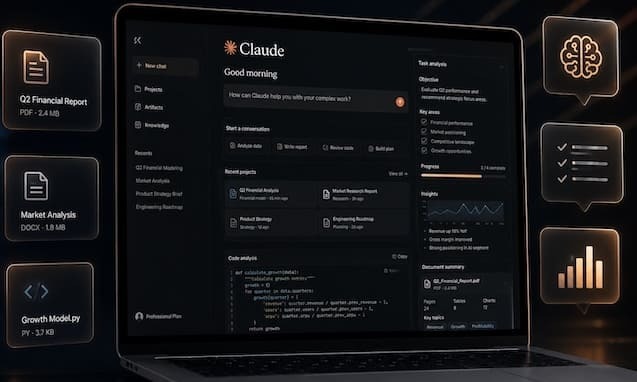
What Is Claude AI? Definition, Features, and Differences from ChatGPT
Published: June 15, 2026 I Reading time: 12 minutes 20s
What to Remember
- Creating a Claude AI account is free and takes less than two minutes, with no credit card required for the basic version.
- Claude handles long documents well (reports, contracts, transcripts) thanks to a large context capacity.
- The free version is limited in the number of messages; large volumes require a paid subscription.
- Claude is accessible directly on claude.ai, or via a platform that centralizes several models like Ai-chatpro.
How can I use Claude AI for free?
What’s the difference between Claude and ChatGPT?
What’s the limit of Claude’s free version?
Why do some users switch from ChatGPT to Claude?
Try AI Chat Pro now!
Take your projects further with AI Chat Pro and unlock the power of intelligent conversational AI for all your needs.
Articles
- Edit a photo with AI: which tools to choose in 2026?
- Music AI: how to create a song with artificial intelligence
- Leonardo AI: what is it, is it free, and how do you use it?
- Free AI image generator without signup: which tools to choose in 2026?
Categories
Tags