

What is Nano Banana?
Nano Banana, Google Gemini’s viral image generation & editing tool: origin, how it works, and how it differs from the Pro version.


Published on: September 10, 2026

4 minutes
Table of Contents
- Nano Banana: a simple definition
- Where does the name "Nano Banana" come from?
- What can Nano Banana do?
- Nano Banana and copyright: what to watch out for?
- Nano Banana vs Nano Banana Pro: what's the difference?
- How to try Nano Banana without a Google account?
- What is the equivalent of Nano Banana?
- What to Remember
- Conclusion
What Is Nano Banana: The Key Takeaways
- Nano Banana is the viral nickname given to Google's image generation and editing models, integrated into Gemini (notably Gemini Flash Image).
- It lets you create an image from simple text, or edit an existing image (changing a background, removing an object, merging elements) without complex editing software.
- Nano Banana Pro is a more advanced version, with expanded capabilities compared to the standard version.
- The name "Nano Banana" comes from the online community, not from an initial official announcement by Google.
- Nano Banana is available directly in Ai-chatpro, alongside other image models like GPT Images 2.0 and Leonardo.
There's no missing the name "Nano Banana" over the past few months. Behind this smile-inducing nickname lies a genuinely serious image generation and editing tool from Google. This guide simply explains what Nano Banana is, where its name comes from, what sets it apart from its Pro version, and how to try it without going through a Google account.
Nano Banana: a simple definition
Nano Banana is the name given by the online community to a Google artificial intelligence model specialized in image generation and editing, integrated into Gemini (notably via Gemini Flash Image). It lets you create an image from a simple text description, or edit an existing image with natural language instructions.
Where does the name "Nano Banana" come from?
The name "Nano Banana" is not strictly an official product name: it's a nickname born on social media and massively adopted by the community, following viral tests and demonstrations of the tool. Google later kept this nickname in certain communications, while retaining its official technical name on the Gemini side.
What can Nano Banana do?
- Image generation: creating an original image from a text description.
- Editing and photo retouching: changing a specific detail in an existing image (changing a background, editing text, removing an object) without complex editing software.
- Image merging: combining multiple visual elements or seamlessly integrating a character into a new setting (shadows, lighting, perspective).
Nano Banana and copyright: what to watch out for?
Generating or editing an image with AI raises copyright questions: the source image used, resemblance to a real person, or reuse of an artist's style or a protected character. These questions aren't unique to Nano Banana: they apply to all AI image generation tools. Our article AI and Copyright covers what you need to know before publishing or commercially using an AI-generated image.
Nano Banana vs Nano Banana Pro: what's the difference?
Nano Banana Pro refers to a more advanced version of the model, with expanded capabilities compared to the standard version (rendering precision, handling of more complex scenes, additional control options depending on Google's updates). Since the exact details evolve regularly, it's recommended to check Google Gemini's official documentation to find out each version's exact capabilities at the time of use.
Image model names and capabilities evolve quickly. Before any professional use, check the exact version available on the platform you're using.
How to try Nano Banana without a Google account?
Nano Banana is directly accessible in Ai-chatpro: simply switch to "Image" mode in the model selector and choose Nano Banana among the available options, alongside GPT Images 2.0 (OpenAI) and Leonardo. This lets you generate or edit an image without creating a dedicated Google account, and easily compare the results with other image models on the same prompt. You can send three free messages every 24 hours.
Create a High-Quality Image With Nano Banana
Generate and edit your images with Nano Banana directly from Ai-chatpro, without a Google account, and compare the result with GPT Images 2.0 or Leonardo on the same interface.
What is the equivalent of Nano Banana?
Several tools offer AI image generation or editing features, each with its own specifics: OpenAI's GPT Images 2.0, Leonardo, or other platforms specialized in imaging. The right choice mainly depends on the level of control you're after and your workflow (quick editing vs. more advanced original creation). Ai-chatpro precisely lets you test them all from a single interface to compare.
Discover Google's AI assistant and its ecosystem:
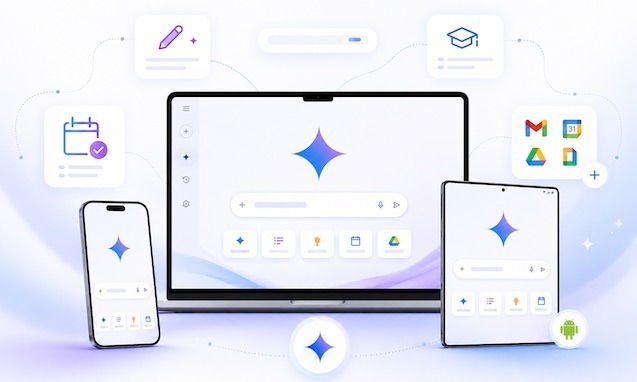
What Is Google Gemini? Definition, How It Works, and Uses
Published: June 25, 2026 I Reading time: 10 minutes 40s
What to Remember
- Nano Banana is a community nickname for Google Gemini's image generation and editing models.
- It lets you create an image from text, or edit an existing image using natural language.
- Nano Banana Pro is a version with expanded capabilities.
- Nano Banana is available directly in Ai-chatpro, no Google account required, alongside GPT Images 2.0 and Leonardo.
Conclusion
Nano Banana is a great example of how a community-born nickname can take hold around a genuinely serious AI tool. To try it without creating a Google account and compare it with other image models, try Nano Banana directly on Ai-chatpro.
What is Nano Banana?
How to use Nano Banana the right way?
Why the name Nano Banana?
Free Nano Banana AI in French?
What’s the Chinese competitor to Nano Banana?
Try AI Chat Pro now!
Take your projects further with AI Chat Pro and unlock the power of intelligent conversational AI for all your needs.
Articles
- AI development: an antitrust complaint targets Anthropic, OpenAI, Google, and SpaceX
- iA Writer: does it generate text with AI, and what does it cost?
- Edit a photo with AI: which tools to choose in 2026?
- Music AI: how to create a song with artificial intelligence
Categories
Tags