

How to Use ChatGPT Effectively? A Simple Guide to Get Started
Learn how to use ChatGPT with a straightforward approach: goals, context, format, constraints, prompt examples, and choosing the right model.


Publication date: July 2, 2026

7 minutes 10s
Table of Contents
- How to Use ChatGPT in Practice
- How to Use ChatGPT in 5 Steps
- Which Version of ChatGPT Should You Use?
- A Simple Prompt Example for Using ChatGPT
- What Can You Do With ChatGPT?
- Using ChatGPT to Create or Edit an Image
- How to Use ChatGPT for Free in English
- How to Use ChatGPT on PC, iPhone, or Android
- What Mistakes Should You Avoid With ChatGPT?
- How to Get Better Answers From ChatGPT
- Why Use Ai-chatpro for ChatGPT?
- What to Remember
How to Use ChatGPT: Key Takeaways
- ChatGPT works as a conversational assistant: you make a request, then refine the answer.
- A good request specifies the goal, the context, the expected format, and any constraints.
- ChatGPT can help you write, summarize, explain, rephrase, analyze, or generate ideas.
- In Ai-chatpro, you can choose between several GPT model versions depending on your needs.
- The Image space also lets you create or rework visuals from the same interface.
How can you use ChatGPT effectively as a beginner? The question sounds simple, but many users get overly vague answers because their requests are imprecise. To get a real result, you need to learn how to guide the tool: give it a goal, a context, a format, and constraints. In this article, you'll see how to use ChatGPT step by step, how to choose a model based on your needs, and how to use Ai-chatpro to move more easily from text to image.
How to Use ChatGPT in Practice
Using ChatGPT means writing a request in natural language to get an answer, a text, an explanation, an idea, or help with a specific task. The clearer your request, the more useful the answer will be.
You can ask it to write an email, summarize a document, explain a concept, correct a text, prepare a list of ideas, or structure a piece of work. ChatGPT works like a conversational assistant: you make a first request, then improve the result with additional instructions.
In Ai-chatpro, usage isn't limited to a single model version. You can choose between several versions of ChatGPT depending on your needs, then move to the Image space if you want to create or rework a visual.
To better understand how the tool works before using it, you can also check out our guide:
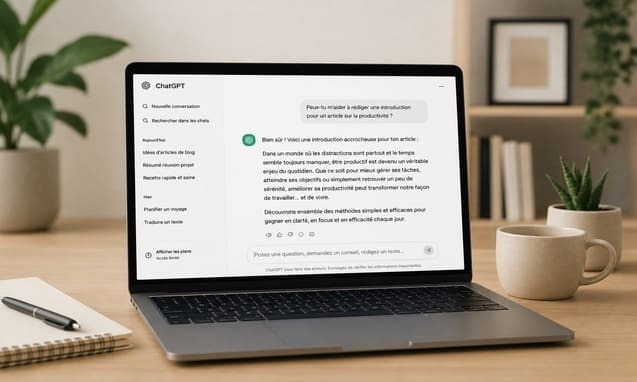
What Is ChatGPT? Definition, Uses and Limitations
Publication date: June 11, 2026 I Reading time: 11 minutes 40s
How to Use ChatGPT in 5 Steps
To use ChatGPT well, avoid overly vague requests. A good request states what you want to get, in what context, and in what form.
1. Define Your Goal
Start by specifying the expected result: explanation, summary, email, outline, list of ideas, correction, or comparison. A vague request would be:
“Tell me about AI.”
A more effective request would be:
“Explain in 10 lines what generative artificial intelligence is, using simple words, for a beginner.”
The second request gives a goal, a length, a language level, and an audience. ChatGPT can therefore answer much more precisely.
2. Provide Context
ChatGPT answers better when it understands the situation. You can specify your job, your target audience, your level, or the final use of the content. Example:
“I'm writing a follow-up email to a client who hasn't replied in 10 days. The tone should stay professional, polite, and direct.”
Without context, the answer risks being correct but too generic.
3. Specify the Expected Format
You can ask for a paragraph, a list, a table, an outline, an email, an FAQ, or a checklist. Example:
“Present the answer as a table with 3 columns: problem, solution, example.”
This instruction makes the result easier to read and use.
4. Add Constraints
Constraints help you get an answer closer to your actual needs. You can specify length, tone, words to avoid, or mandatory elements. Example:
“Make a short version, without jargon, with a reassuring and professional tone.”
This step is useful for emails, marketing content, articles, and professional messages.
5. Improve the Answer
The first answer isn't always the best one. You can ask for a shorter, more natural, more direct, or more precise version. For example:
“Make this answer more natural.”
“Add a concrete example.”
“Remove the repetitions.”
“Rephrase with a more professional tone.”
It's often on the second request that ChatGPT becomes truly useful.
Which Version of ChatGPT Should You Use?
Not every use case needs the same level of power. For a simple rephrasing, a quick answer, or a starting idea, a lightweight model may be enough. For structured content, analyzing a complex request, or producing a professional answer, it's better to use a more advanced model.
In Ai-chatpro, you can choose between several GPT models depending on your goal. A lightweight model like GPT 5.4 Nano can be suitable for quick answers or simple tasks. GPT 4o remains useful for versatile uses. More advanced models like GPT 5.4 or GPT 5.5 are better suited to demanding requests, longer content, and professional tasks.
The point is not to use the same model for every need. You can start with a fast version, then switch to a more advanced model if you need a more complete or better-structured answer.
For a beginner, the simplest method is to start with a fast model to test the idea, then switch to a more advanced model if the answer needs to be more precise, longer, or more professional.
A Simple Prompt Example for Using ChatGPT
A good prompt doesn't need to be complicated. Above all, it needs to give ChatGPT the information it needs to produce a usable answer. Example:
Write a professional email to follow up with a client who hasn't replied to a proposal sent 10 days ago.
Tone: courteous, clear, and direct.
Goal: get a reply without seeming pushy.
Format: 120 words maximum, with an email subject line.”
This type of request works better than “write a follow-up email,” because it gives a goal, a situation, a tone, a length, and a format. To go further, you can check out our guide on prompt engineering.
To go further on how to phrase requests, you can check out our guide:
Prompt Engineering: The Complete Guide to Understanding and Mastering Prompts
Publication date: May 27, 2026 I Reading time: 4 minutes 40s
What Can You Do With ChatGPT?
ChatGPT can help you write a text, prepare a professional email, fix a mistake, rephrase a sentence, find a title, summarize a document, explain a concept, create an outline, or generate ideas.
For professional use, it can also help prepare a meeting, turn notes into a summary report, structure a customer reply, or create a first draft of content. For personal use, it can simplify a text, explain a process, or help organize an idea.
The right approach is to use ChatGPT as a working base, especially if you want to write a text with AI without ending up with generic content.
Using ChatGPT to Create or Edit an Image
ChatGPT isn't only for writing text. Depending on the interface used and the models available, it can also help create, improve, or transform images.
In Ai-chatpro, the Image space is separate from the text space. This separation makes usage clearer: you first choose whether you want to work with a conversation model or an image tool, then phrase your request based on the expected result. Example:
“Create a modern image to illustrate an article about ChatGPT, with a chat interface, a professional style, and visual elements related to artificial intelligence.”
To get a better result, specify the subject, style, format, mood, colors, and elements to avoid.
How to Use ChatGPT for Free in English
You can use ChatGPT for free in English by typing your requests directly in that language. The interface understands English, and you can ask your questions just like in a normal conversation.
The free version lets you discover the tool and handle many everyday tasks. However, ChatGPT's plans include limits depending on the tier: access to models, number of messages, uploads, images, memory, advanced tools, or deep research can vary between the free plan and paid plans.
So free shouldn't be confused with unlimited. For occasional use, the free plan may be enough. For regular, professional, or creative use, a more complete solution quickly becomes more comfortable.
How to Use ChatGPT on PC, iPhone, or Android
On PC, ChatGPT is used through a web browser. You open the service, sign in if needed, then type your request in the chat field. On iPhone and Android, you can use a mobile app or a browser. The usage stays the same: you make a request, read the answer, then ask for an improvement if needed.
Voice mode can also be useful for thinking out loud, getting a quick explanation, or preparing an idea. Just avoid sharing sensitive information, especially in a public place.
What Mistakes Should You Avoid With ChatGPT?
- The first mistake is asking an overly vague question. If you just write “write me a text,” ChatGPT doesn't know what style, audience, length, or goal to aim for.
- The second mistake is thinking the first answer is final. ChatGPT works better when you guide it progressively.
- The third mistake is copying and pasting an answer without reviewing it. Even when the text looks good, it can contain errors, approximations, or an unsuitable tone.
How to Get Better Answers From ChatGPT
To get better answers from ChatGPT, always add four elements: the goal, the context, the format, and the constraints. This simple method alone is enough to improve most results. Weak example:
“Give me some content ideas.”
More effective example:
“I manage the blog for an AI tool aimed at professionals. Give me 10 article ideas for beginners, with an SEO title, a search intent, and a short description. Present the answer as a table.”
You can also ask ChatGPT to ask you questions before answering:
“Before answering, ask me 3 questions to better understand my need.”
This method is useful when your request is still unclear.
Why Use Ai-chatpro for ChatGPT?
Ai-chatpro lets you use several GPT models in a more complete space, with different response levels depending on your need. This avoids treating every task the same way: a simple request can stay fast, while a more demanding task can be handed to a more advanced model.
The other advantage is being able to move from text to image within the same interface. You can write an idea, improve a prompt, generate an image, then go back to text to refine your content.
Depending on your use, Ai-chatpro can also act as a gateway to other AI models, so you can compare answers and choose the approach best suited to your task.
Try Ai-chatpro
Use several GPT models in one space, choose the model suited to your needs, and switch to the Image space whenever you want to create or rework a visual.
What to Remember
- How can you use ChatGPT effectively? The simplest method is to specify your goal, your context, the expected format, and the important constraints.
- ChatGPT can help you write, summarize, explain, rephrase, analyze, or generate ideas, but its answers should be reviewed and adjusted.
- A good prompt doesn't need to be complicated: above all, it needs to give the tool clear direction.
- The choice of model matters too. In Ai-chatpro, you can use several GPT models depending on your needs, then switch to the Image space when your request becomes visual.
- To get a better result, it's often necessary to improve the first answer rather than copy-pasting it right away.
How to use ChatGPT?
How to use ChatGPT for free in French?
Which version of ChatGPT should you use?
Can you use ChatGPT to create an image?
What are the things you should never say to ChatGPT?
Try AI Chat Pro now!
Take your projects further with AI Chat Pro and unlock the power of intelligent conversational AI for all your needs.
Articles
- Leonardo AI: what is it, is it free, and how do you use it?
- Free AI image generator without signup: which tools to choose in 2026?
- How to boost your brand’s visibility in AI answer engines?
- AI-powered cyberattacks: toward “continuous and persistent” offensives
Categories
Tags